
Emailer Template: Clay Cook Shakes Things Up
I remember when I first started working at Wonderful Machine in our publicity department. I was editing and writing intel articles when I first got in touch with Louisville, Kentucky-based photographer Clay Cook. He had been a member for a while and was someone that everyone looked up to. It was easy to see why. His work was second to none, and his demeanor was even better!
So now that you know I’m a fan, you’ll understand how excited I was when he reached out for some help with design. Clay wanted a fresh new Emailer Template that could grab people’s attention while staying true to his brand. Having been a musician, he has always had a rock and roll vibe to his visual identity that incorporates bold streaks and raw edges. A juxtaposing, but complementary identity when paired with his bright, focused photos.
Four Ways to Go
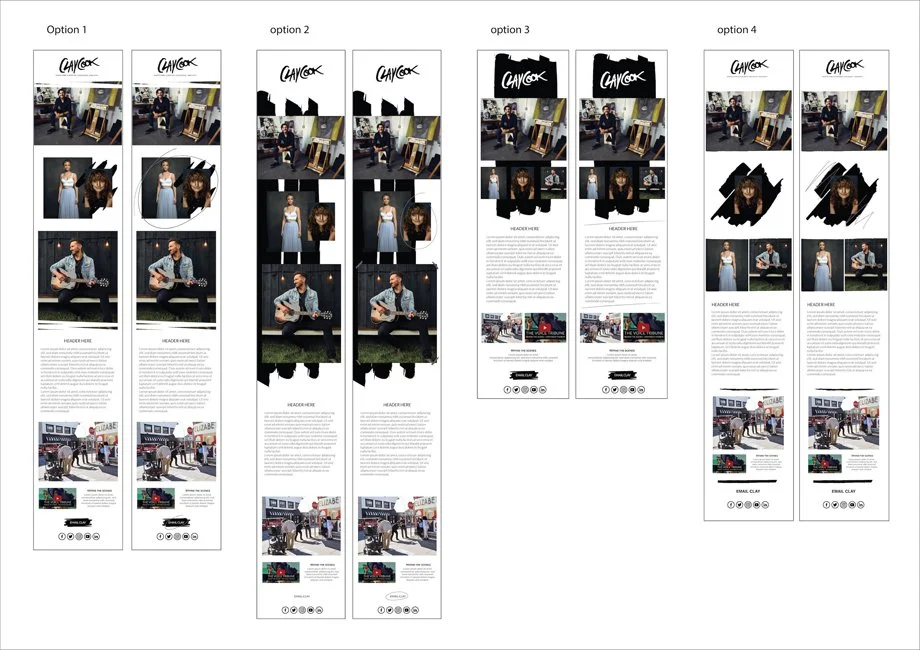
I started this project by understanding Clay’s goals for this emailer. He loves writing and sharing his journey, so we left plenty of room for him to dive deep into his process. We also discussed creating an emailer full of sophisticated grit. As a result, I came up with 4 concepts, each with different layouts. Knowing how bold Clay’s brand is, and his comfort level with Photoshop, I knew I could explore the limits of what we could do with an emailer. Ultimately, Clay liked option 3, but with option 1's footer.
The four concepts designed for Clay Cook’s emailer template
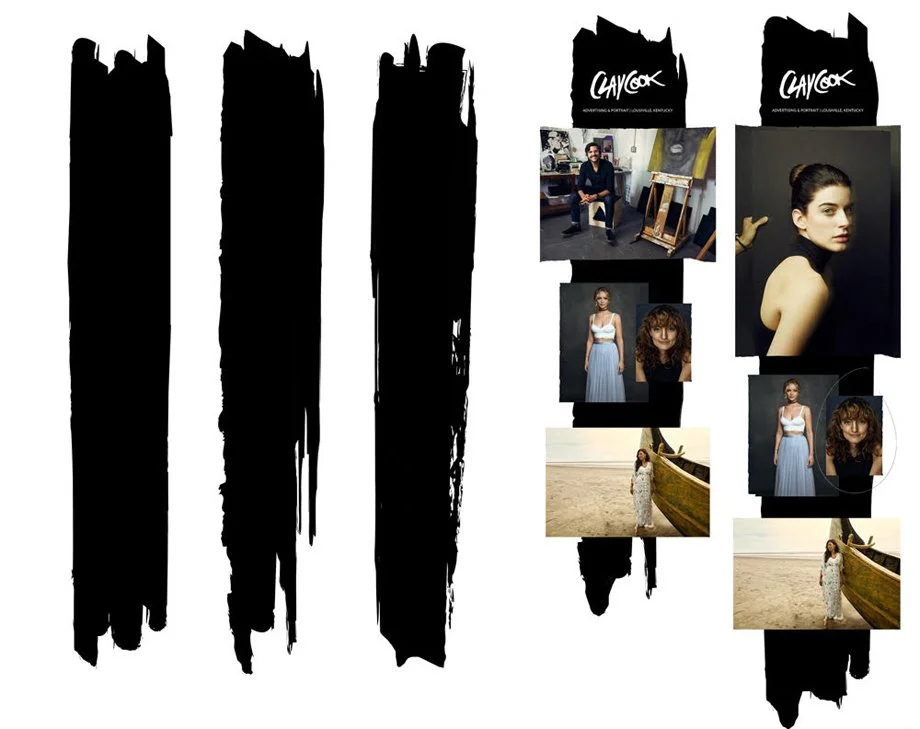
Next, I built the tools Clay would need to create future emailers by making several templates in Photoshop. These variations include three black backdrops, giving Clay variety to work with.
Ready to Roll
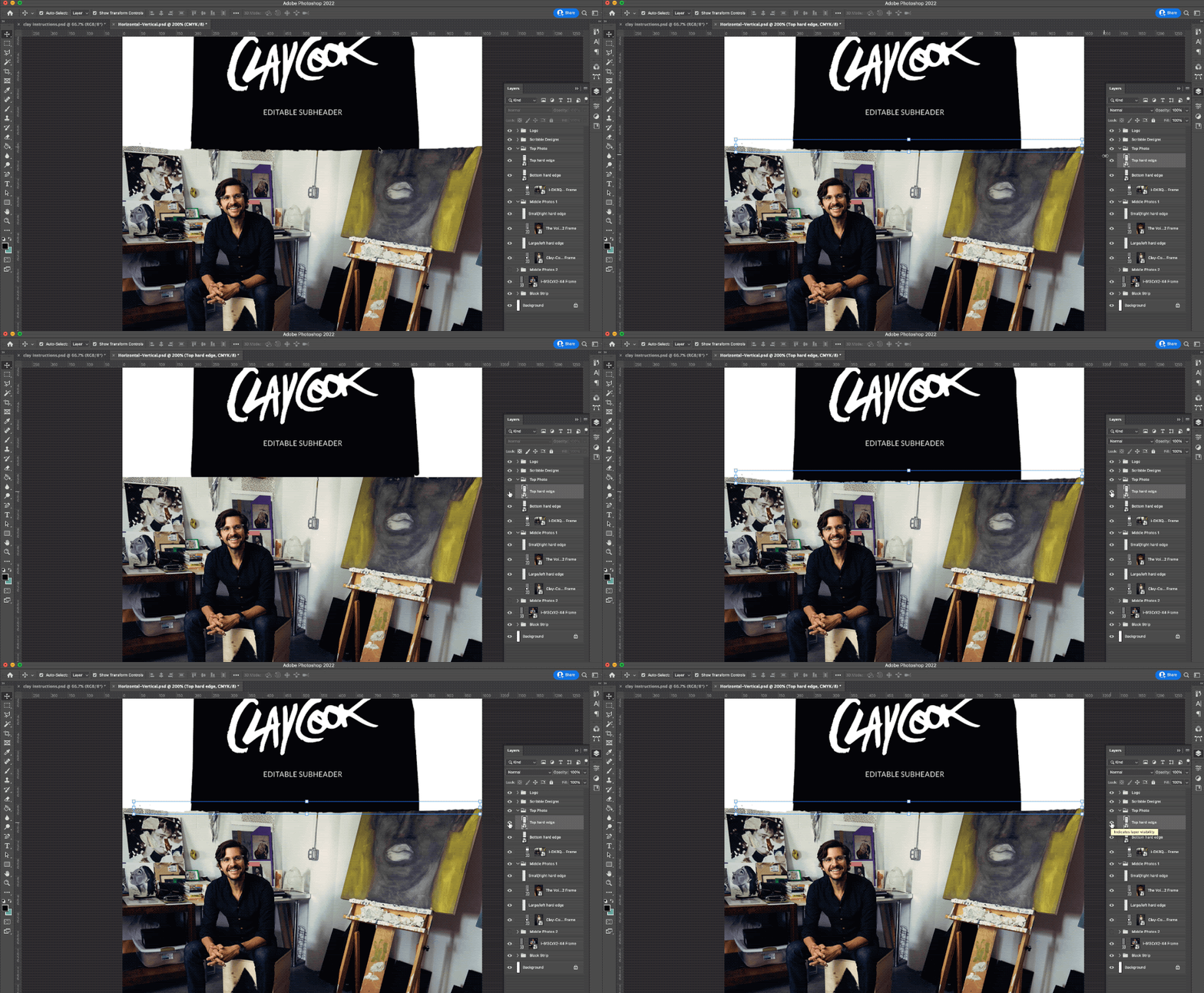
Clay also wanted a rough edge on all his photos, which presented a small challenge, but nothing I couldn’t handle. To make the template editable for him, I created a border for the photos—when placed over the photo, it created a raw edge that lined up with the background streak. I also used the frame tool so Clay could swap in new photos while keeping the image proportions as it sits behind the rough border.
I used the finished templates, exported them as JPEGs, and uploaded them to Mailchimp to create a pretty memorable emailer, if I say so myself.